

商业授权
FcDesigner Pro 为商业授权产品。完成安装并引入设计器后,需要在 config.license 中配置有效的授权密钥,设计器与表单渲染器才能按商业授权正常初始化。
获取授权密钥
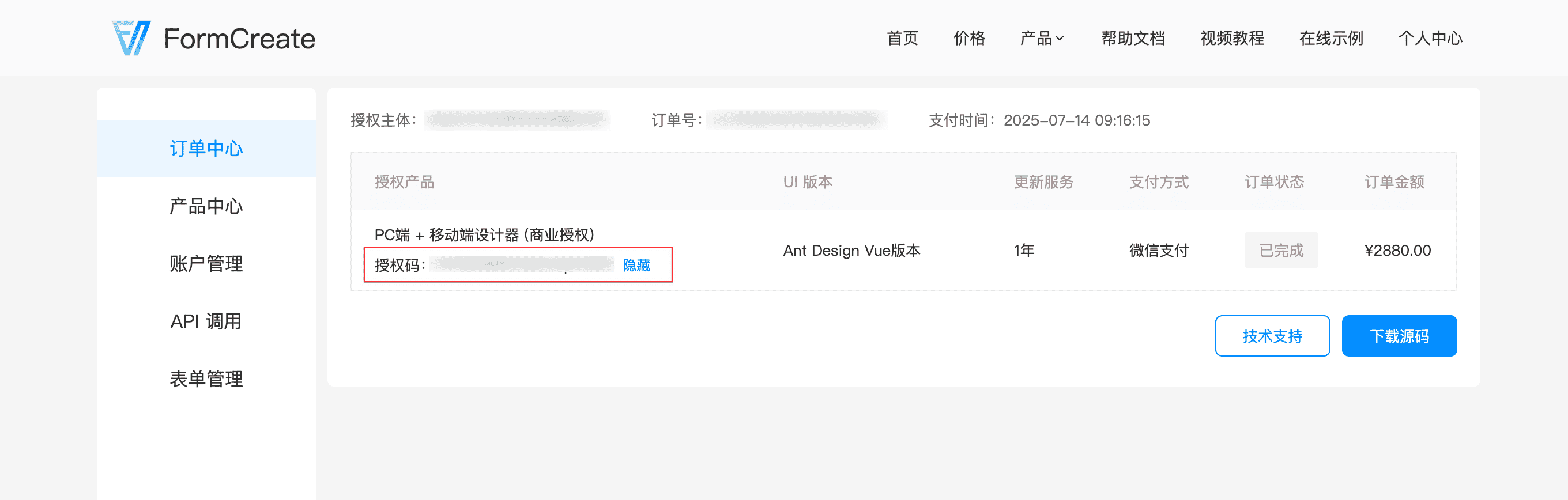
登录 FormCreate 用户中心,在授权管理中查看并复制您的 License 密钥。
配置方式
将授权密钥写入设计器的 config.license:
vue
<template>
    <fc-designer ref="designer" :config="config" height="100vh" />
</template>

<script setup>
const config = {
    // 请替换为您在用户中心获取的授权密钥
    license: 'your-license-key',
}
</script>
移动端设计器同样通过 config.license 配置:
vue
<template>
    <fc-designer-mobile ref="designer" :config="config" height="100vh" />
</template>

<script setup>
const config = {
    license: 'your-license-key',
}
</script>
配置说明
| 字段 | 类型 | 说明 |
|---|---|---|
license | string | 商业授权密钥;未配置时控制台会输出警告提示 |
说明:
license属于设计器config配置项,与其他业务配置写在同一对象中即可。- 配置后会同步到设计态与预览态的表单渲染器。
- 未配置时,控制台会提示 License 未配置,请补齐有效密钥后重新初始化。
常见问题
控制台提示 License 未配置
检查是否已向 fc-designer / fc-designer-mobile 传入 :config,且 config.license 为非空字符串。
密钥在哪里查看
前往 FormCreate 用户中心 登录后查看商业授权信息。